
I’ve tested more AI video tools than I care to admit. Most promise to turn your long-form content into a viral Shorts empire overnight. Most fall flat. Quso.ai (the platform formerly known as Vidyo.ai) is one of the few that actually delivers on that promise, and it’s quietly become the tool I recommend to creators who want to stop burning hours on manual clipping.
Here’s my honest take after putting it through its paces.
Pros & Cons
| ✅ Pros | ❌ Cons |
|---|---|
| AI clip detection is genuinely accurate — finds moments that actually matter | Free tier is capped at 720p and 7-day data retention |
| Replaces 4-5 separate tools (clipper, captioner, scheduler, editor, analytics) | No desktop app — everything is browser-based |
| Subtitle accuracy in 100+ languages, including animated word-level captions | Credit system on paid plans can feel limiting for heavy users |
| Social scheduler integrates directly with 6 platforms — no third-party connector needed | Some advanced editor features require a learning curve |
What Is Quso.ai?
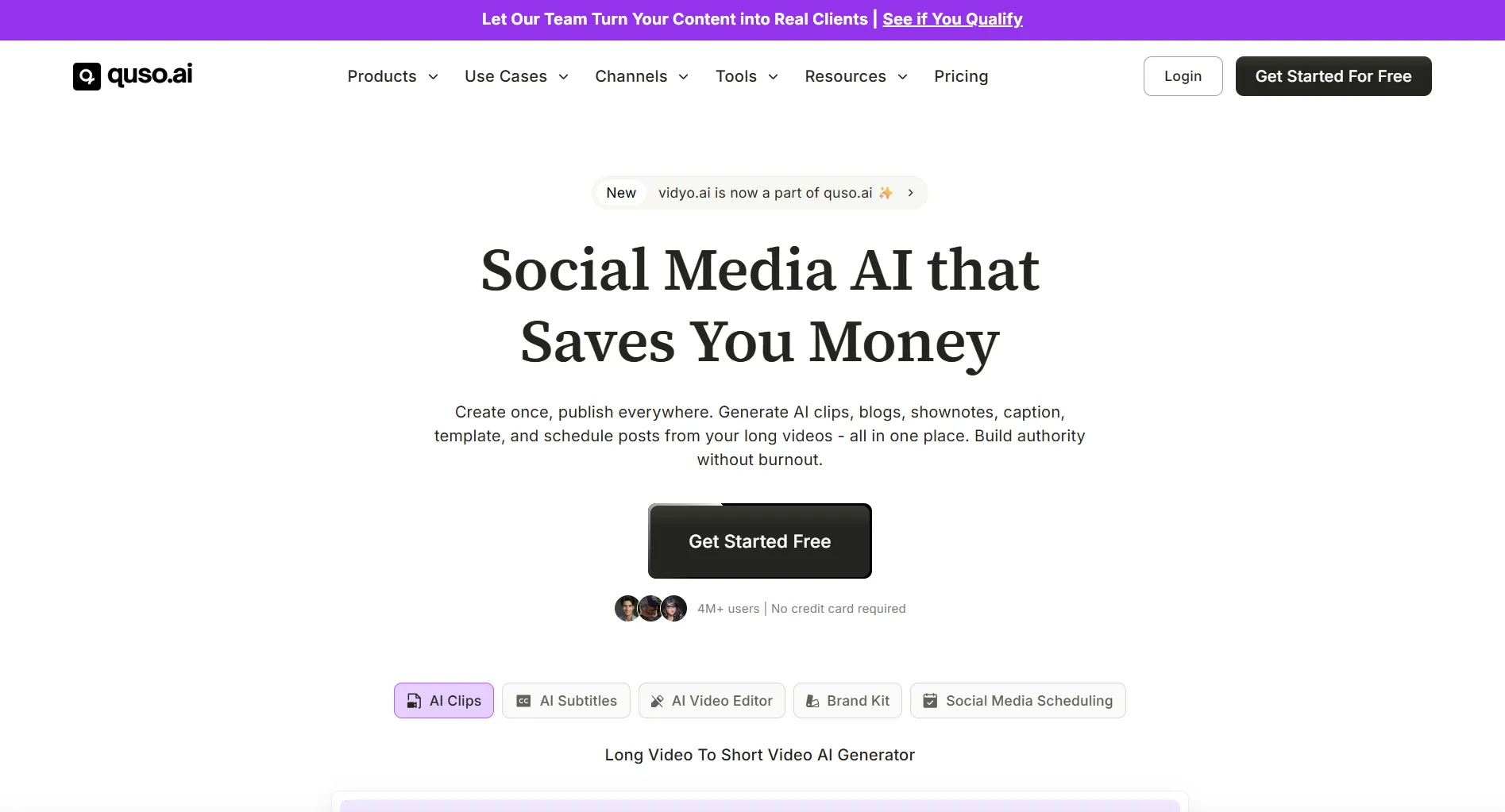
Quso.ai is an AI-powered video repurposing platform. You give it a long video, podcast, or stream, and it finds the best moments, clips them into short-form vertical videos, adds animated captions, and can even schedule and post them across TikTok, Reels, YouTube Shorts, and more. No manual scrubbing through timelines. No guessing which 60 seconds will perform.
The company rebranded from Vidyo.ai, and the platform has matured significantly since those early days. It’s not just a clip maker anymore. It’s a full content repurposing stack: AI clipping, subtitle generation, a text-based video editor, a social media scheduler, a content planner, brand kit management, and analytics. The pitch is that it replaces Opus Clip, Descript, CapCut, Hootsuite, and Buffer in one subscription.
That’s a bold claim. But after spending real time with it, I’d say it covers about 80% of what those tools do, which is honestly more than enough for most creators.

What Stands Out: The AI Clip Detection
This is the core feature and the reason most people sign up. You paste a YouTube link or upload a video, and quso.ai scans the entire thing, scores moments by “virality potential,” and spits out a set of clips. It looks for things like: changes in speaker energy, audience reaction points, topic shifts, and visual variety. The scoring isn’t perfect, but it’s good enough that 7 out of 10 suggested clips are genuinely usable.
Compare that to doing it manually, where you might spend 45 minutes editing one 60-second clip. The time savings compound fast when you’re publishing 3-5 Shorts per week.
The auto-reframing is smart. It keeps the speaker centered when converting 16:9 to 9:16, and the generated captions sync at the word level. They’re animated, modern-looking, and you can customize fonts and colors through the Brand Kit if you’re on a paid plan.
You can try the AI clip detection for free, no credit card needed. That alone makes it worth a test drive.
The All-in-One Argument
What makes quso.ai interesting isn’t any single feature. It’s the fact that you can upload a video, generate clips, add subtitles, edit them, schedule posts, and track performance without leaving the platform. That’s a workflow that normally requires bouncing between four different tools.
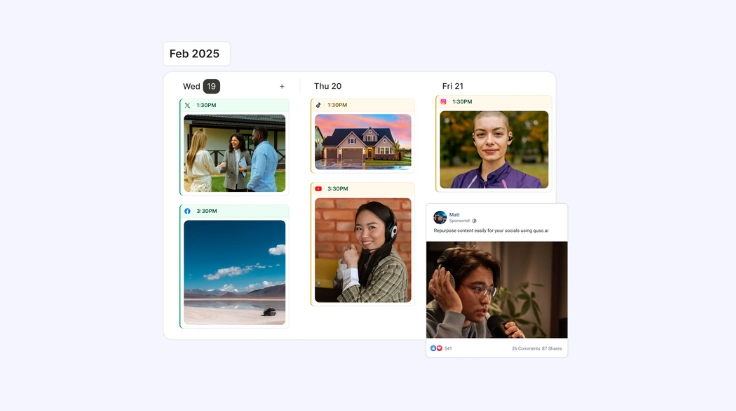
The scheduler supports TikTok, Instagram (Reels and feed), YouTube, Facebook, LinkedIn, and X. You can plan a month of content on a visual calendar, auto-publish at optimal times, and review analytics to see which clips actually drove engagement. The analytics aren’t as deep as a dedicated tool like Sprout Social, but they cover the basics: views, likes, comments, shares, and watch time per clip.
The Brand Kit is worth mentioning too. You set your logo, colors, and fonts once, and every clip inherits them. This is the kind of thing that separates content that looks professional from content that looks thrown together.
What’s the Trade-off?
The free tier is genuinely useful for testing, but it has real limits. You get 720p exports, 7-day data retention, and only TikTok publishing. If you’re serious about multi-platform distribution, you’ll need at least the Lite plan at $29/month. That gets you 1080p, unlimited clips, scheduling to all six platforms, and 10GB of storage.
The credit system on paid plans is worth understanding. Lite gives 100 credits/month (200 if billed yearly), Essential gives 300 (600 yearly), and Growth gives 600 (1200 yearly). A credit is roughly one clip generation, and it’s easy to burn through them faster than you’d expect if you’re processing hour-long podcasts multiple times. That said, annual billing doubles your credits and drops the effective price by about 33%, which makes the Lite plan $19/month and Essential $26/month.
Another limitation: there’s no native desktop app. Everything runs in the browser. The video editor performs fine for short clips, but if you’re used to a full timeline editor like Premiere or DaVinci Resolve, you’ll feel constrained. This isn’t a replacement for professional editing. It’s a replacement for the repetitive, time-consuming parts of content repurposing.
Who Should Use Quso.ai?
If you’re a creator who publishes long-form content (YouTube videos, podcasts, webinars, streams) and wants to build a short-form presence without hiring an editor, quso.ai is built for exactly your workflow. The value proposition is straightforward: it saves you 10-15 hours a month on clipping, captioning, and scheduling.
If you’re a social media manager handling multiple client accounts, the Growth plan with its 75GB storage, custom brand kits, and priority support makes sense. The analytics dashboard gives you enough data to report results without needing a separate tool.
Who should skip it? If you only publish short-form content natively (filming directly in TikTok or Reels), there’s not much here for you. And if you need cinema-grade color grading or complex multi-track audio, this isn’t the tool. Stick with a dedicated editor.
Where to Buy
Quso.ai offers a free tier with no credit card required. Paid plans start at $29/month for Lite and go up to $49/month for Growth, with annual billing knocking about 33% off and doubling your monthly credits.
(affiliate link, I may earn a commission at no extra cost to you)
The Bottom Line
Quso.ai won’t make you a viral sensation overnight. No tool can. But it removes the tedious parts of content repurposing, and it does it well enough that I stopped looking for alternatives. The AI clip detection is accurate, the auto-captions are polished, and the all-in-one workflow genuinely saves hours every week.
At $29/month for the Lite plan, it pays for itself the first time you don’t spend a Sunday afternoon manually clipping a 90-minute podcast. If you’re already publishing long-form content and neglecting short-form because the editing overhead is too high, start with the free tier and see what the AI finds in your content. You might be surprised how much usable material you’ve been sitting on.