
The EINSTAR Rockit is one of those rare pieces of hardware that makes you stop and rethink what’s possible at a given price point. A genuinely wireless, pocket-sized 3D scanner with hybrid laser and IR scanning, built by a company with two decades of metrology experience. I’ve been digging into the specs, the reviews, and the real-world performance data, and here’s what I found.
Pros & Cons
| Pros | Cons |
|---|---|
| Truly wireless — Wi-Fi 6 with swappable 5500mAh battery | $1,899 is steep for hobbyists (EINSTAR 2 is $1,249) |
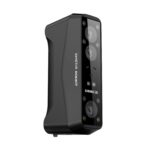
| Pocket-sized at 130 x 37 x 61 mm and just 425g | Needs a beefy PC — i7 13th-gen and RTX 3060 minimum |
| Hybrid blue laser + IR gives you both precision and speed | 3-hour battery life means you’ll want spares for long sessions |
| Professional accuracy (0.05mm) at a prosumer price | No Linux support — Windows and Mac only |
What Is the EINSTAR Rockit?
The EINSTAR Rockit is a handheld 3D scanner built by SHINING 3D, the same company behind the professional-grade EinScan lineup and the entry-level EINSTAR series. It sits in the prosumer sweet spot — more capable than the hobby-focused EINSTAR 2 ($1,249), but nowhere near the $5,000+ EinScan Rigil that industrial metrology shops use.
What makes the Rockit different from practically everything else at this price is the wireless thing. Most handheld scanners in this range tether you to a laptop with a USB cable. The Rockit uses Wi-Fi 6 and a swappable 5500mAh battery to cut the cord completely. Walk around a car, circle a sculpture, scan an engine bay — no cables dragging behind you.
The Hybrid Scanning Engine
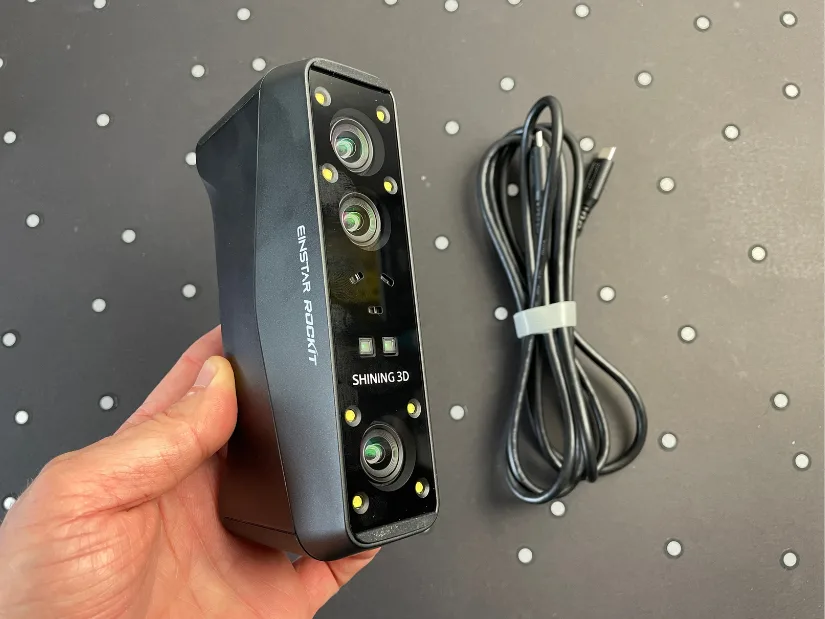
The Rockit packs three light sources into its tiny frame: 38 crossed blue laser lines, 7 parallel blue laser lines, and an IR VCSEL array for geometric tracking. This hybrid approach means you can switch between modes depending on what you’re scanning.
In Laser HD mode, the crossed lasers capture fine surface detail at up to 0.05mm accuracy — the kind of precision you need for reverse-engineering mechanical parts or scanning intricate organic shapes. The parallel laser lines cover more area faster, useful for large flat surfaces like car body panels. And the IR mode, with its 4.8 million points per second capture rate, handles big objects quickly when you don’t need sub-millimeter accuracy.
The 5MP RGB texture camera is worth mentioning because it’s precisely calibrated to the scanning volume. This isn’t a slapped-on phone sensor — the texture maps align cleanly with the geometry, which matters if you’re creating assets for AR, VR, or digital archiving.
What It’s Like to Actually Use
From the hands-on testing I’ve studied — particularly the detailed review by Max Funkner at 3DWithUs — the setup is refreshingly simple. Unbox, charge the battery, install EXStar Hub (SHINING 3D’s scanning software), and calibrate with the included board. The calibration takes about a minute.
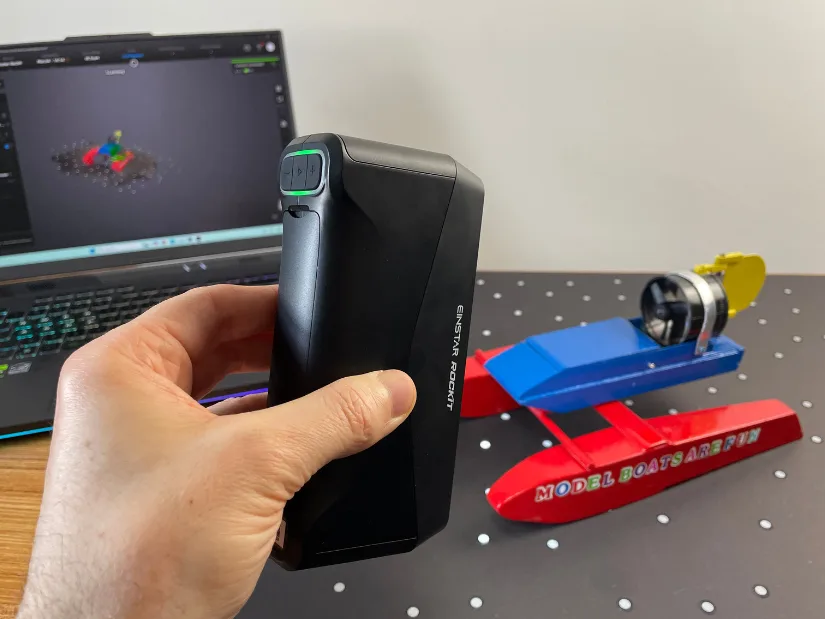
The wireless workflow is the standout feature. Walk around an object freely, watch the point cloud build in real-time on your laptop screen, and reposition as needed without ever feeling tethered. In testing, scanning an entire automotive door panel — something that takes 5-7 minutes with a wired structured-light scanner — clocked in under two minutes with the Rockit.
That said, the PC requirements are no joke. SHINING 3D recommends a 13th-gen i7, an RTX 3060 with at least 6GB VRAM, and 32GB of DDR5 RAM. On the Mac side, an M3 or better is recommended, with 16GB minimum but 24GB+ preferred. This isn’t a scanner you can run on a budget laptop — the real-time processing is GPU-hungry.
Where It Shines
The Rockit makes the most sense for a few specific use cases. Automotive collision repair shops can document damage for insurance claims without dragging a laptop around the bay. Small manufacturers can reverse-engineer competitor parts or create digital twins of physical prototypes. Independent product designers get a tool for capturing reference geometry that would have cost five figures not long ago. Freelance VFX artists can scan props and environments for virtual production on a realistic budget.
What ties these use cases together is mobility. If your scanning happens at a desk, the wired EINSTAR 2 is probably the better value. But if you’re moving around objects — walking around a car, scanning architectural details, working in a cluttered workshop — the wireless freedom changes how you approach the job.
What You’re Giving Up
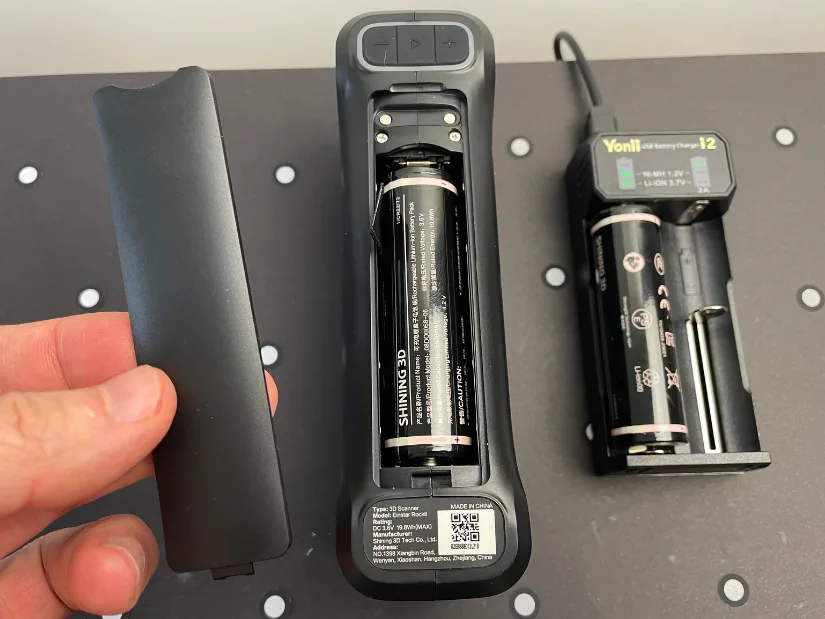
The three-hour battery life is the most obvious trade-off. It’s enough for most single-object scans, but if you’re doing marathon scanning sessions — digitizing an entire car, for instance — you’ll want spare batteries. SHINING 3D sells them separately, and the swappable design means you can hot-swap mid-session without powering down.
The software is capable but not flashy. EXStar Hub handles alignment, mesh generation, and export to standard formats (STL, OBJ, PLY, 3MF, ASC), and it’s gotten steady updates. But if you’re coming from professional metrology software, you’ll notice the gap. This is a scanning tool, not a full CAD suite.
There’s also the ecosystem lock-in to consider. The Rockit works best with SHINING 3D’s own EXModel software for mesh editing and post-processing, which is a separate purchase ($225 for the Personal version, $495 for the full EXModel suite). Factor that in if you don’t already have a preferred mesh editing workflow.
Who Should Buy the EINSTAR Rockit?
If you’re a maker or educator who mostly scans at a desk and doesn’t need wireless freedom, save the $650 and get the EINSTAR 2. It’s the smarter buy for stationary work. If you’re doing industrial metrology where micron-level accuracy is non-negotiable, look at the EinScan Rigil or a dedicated metrology system — the Rockit isn’t built for that.
But if you’re in that prosumer zone — doing real work that demands accuracy, speed, and the ability to move freely around objects — the Rockit hits a sweet spot that few other scanners touch. The combination of wireless operation, hybrid laser accuracy, and pocket-sized portability at under two grand is genuinely hard to match right now.
Where to Buy
Heads up: this is an affiliate link and I may earn a commission at no extra cost to you.
The Bottom Line
The EINSTAR Rockit isn’t for everyone — the price, the PC requirements, and the prosumer positioning mean it’s a deliberate purchase for people who know what they need. But for the people who do need it — the collision repair techs, the reverse-engineering shops, the product designers who’ve been dragging USB cables around objects for years — it’s the kind of tool that makes you wonder why wireless scanning wasn’t the default all along.
SHINING 3D has been quietly building a reputation for making professional-grade 3D scanning accessible, and the Rockit continues that trajectory. It’s not the cheapest scanner on the market, but for what it delivers in a genuinely pocket-sized, cable-free package, it might be one of the smartest.