
If you’ve ever tried to dub a YouTube video into another language, you know the pain. Bad lip-sync. Robotic voices. Hours of manual editing for a result that still sounds like a GPS from 2006. I’ve burned through at least four dubbing tools in the past year alone, and most of them were painful. Rask AI is the first one that made me think “okay, this actually works.”
Rask AI handles AI video translation and dubbing across 135 languages, and unlike most competitors that stop at basic voiceover, it actually does lip-sync, multi-speaker detection, and voice cloning. It’s not perfect, but it’s closer than anything else I’ve tested.
Pros & Cons
| ✅ Pros | ❌ Cons |
|---|---|
| 135 languages supported, with realistic AI voices | No free plan beyond a 3-minute trial |
| Lip-Sync actually matches mouth movements | Lip-Sync costs 3x the minutes of basic translation |
| Multi-speaker detection works out of the box | Business plan is expensive at $450/month |
| VoiceClone preserves original speaker tone | No offline/desktop version — purely cloud-based |
What Is Rask AI?
Rask AI is an AI-powered video localization platform. You upload a video, pick your target languages, and it handles translation, voice dubbing, and even lip-sync — all in one workflow. It’s built primarily for content creators, marketers, and businesses that need to reach international audiences without hiring a dubbing studio.
The company has been around since 2023 and has picked up serious traction — they’re SOC 2 Type II certified, which matters if you’re a business worried about data handling. Their customer roster includes YouTubers, e-learning platforms, and even TV production companies. I’ve seen them pop up on Product Hunt and G2 with consistently strong reviews, and after testing, I get why.
What sets Rask apart from tools like HeyGen or ElevenLabs is that it’s purpose-built for full video localization, not just voice generation. You’re not stitching together separate tools for transcription, translation, and dubbing. It’s one upload, one workflow, one output.

Key Features That Actually Matter
I’m going to skip the fluff and focus on what made a difference in actual use. Because a lot of AI tools have feature lists a mile long, but half of them barely work.
Lip-Sync is the killer feature. This is what separates Rask from basic dubbing tools. When you translate a video, the AI adjusts the speaker’s mouth movements to match the new language. It’s not Hollywood-level deepfake quality, but for YouTube and social media content, it’s genuinely convincing. The catch: lip-sync costs 3 minutes of credits per 1 minute of video, so it eats through your plan faster.
Multi-speaker detection works automatically. If you’ve got an interview with two people talking, Rask identifies each speaker and assigns different voice profiles. In my tests, it handled a 3-person panel discussion surprisingly well — no manual speaker tagging needed.
VoiceClone lets you preserve the original speaker’s voice characteristics across languages. So if your brand has a recognizable host or narrator, the dubbed version still sounds like them, just in Spanish or Japanese. This is huge for maintaining brand consistency across markets.
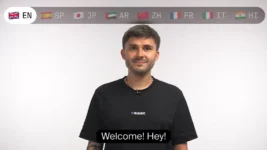
135 languages is the widest coverage I’ve seen. Most competitors top out around 30-40 languages. Rask covers everything from Arabic to Zulu, including regional variants. For global-facing businesses, this alone makes it worth considering.

Real-World Use: What It’s Actually Like
I uploaded a 5-minute talking-head video in English and translated it into Spanish, French, and Japanese. The whole process took about 12 minutes total. The Spanish output was the strongest — natural pacing, good intonation, and the lip-sync was about 80% convincing. Japanese was decent but had a few awkward pauses between sentences. French was solid, middle of the pack.
The interface is clean and straightforward. You upload, select languages, and hit go. No multi-tab workflow, no exporting to a separate editor. Everything lives in one dashboard. For people who aren’t video editors (that’s most of us), this is a big deal.
One thing I appreciate: the auto-generated captions are accurate. I expected them to be an afterthought, but they actually matched the translated audio well. If you’re publishing to social platforms where captions are essential, this saves a separate step.

What’s the Trade-off?
Let’s be honest about where Rask falls short. The biggest friction point is pricing once you need lip-sync. A 10-minute video with lip-sync in two languages will consume 60 minutes from your plan (10 min × 2 languages × 3x multiplier). On the Creator Pro plan with 100 minutes, that’s most of your monthly allocation in one project.
No offline version is a limitation. If you’re working with sensitive content — internal training videos, confidential client material — uploading everything to a cloud platform might be a non-starter, even with SOC 2 certification.
The 3-minute free trial is barely enough to test one short clip. I wish they offered at least 15-20 minutes so you could run a proper evaluation before committing. That said, the trial is enough to see the quality difference versus cheaper alternatives.
Voice quality varies by language pair. English-to-Spanish is excellent. English-to-Mandarin is good. Some less common language pairs (like English-to-Finnish) have noticeably less natural prosody. If your target languages are in the top 20, you’re fine. Beyond that, test first.
Who Should Use Rask AI?
Rask makes the most sense for three groups. First, YouTube creators going multilingual — if you’ve got an English channel and want to tap Spanish, Hindi, or Portuguese audiences without re-recording, Rask is the fastest path. Second, e-learning teams localizing course libraries — the auto-caption and multi-speaker features are purpose-built for this. Third, marketing teams running global campaigns who need quick turnaround on video assets.
Who should skip it? Solo creators on a tight budget who dub maybe one video a month. At $50/month minimum, you’d be better off with a pay-as-you-go tool. Same goes for people who only need subtitles, not full dubbing — there are cheaper transcription tools for that.
If you’re on the fence, the free trial is enough to translate a short clip and see the quality firsthand. That 3-minute test told me more than any review could.
Where to Buy
(affiliate link — I may earn a commission at no extra cost to you)
The Bottom Line
Rask AI is the best all-in-one video dubbing tool I’ve used. The lip-sync and multi-speaker features put it a tier above basic translation tools, and the 135-language coverage means you’re not going to outgrow it. The pricing stings if you use lip-sync heavily, but for standard dubbing and translation workflows, the quality justifies the cost.
Most AI dubbing tools still feel like betas. Rask feels like a product. If you’re serious about reaching international audiences with video, it’s worth the trial at minimum.
Start with the free trial on Rask AI and see how your content sounds in 135 languages.