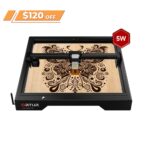

I’ll be honest: I was skeptical about a $140 laser engraver. You see competitors pushing $500, $700, even $1,000 for diode lasers, and you wonder what corners got cut to hit a price point this low. But after digging into the Ortur Laser Master 3 LE, the answer isn’t “corners were cut” — it’s “Ortur figured out how to strip a laser engraver down to its essentials and price it for people who just want to make stuff.”
That’s the thesis here: the Ortur Laser Master 3 LE is the most accessible entry point into laser engraving right now. Not the most powerful, not the most feature-rich — but the one that makes the fewest excuses for a beginner to say “maybe later.”
Pros & Cons
| ✅ Pros | ❌ Cons |
|---|---|
| Ridiculously affordable at $139.99 for the 5W base model | 5W limits you to engraving and thin material cutting |
| 15,000 mm/min speed — fast for this price bracket | No 20W upgrade path (caps at 10W dual) |
| Industrial-style on/off safety key switch | 0.8mm focus depth means flat materials work best |
| 400x400mm work area fits most hobby projects | Exhaust/fume management is on you (no built-in enclosure) |
| Comes mostly pre-assembled — under 20 minutes to first print | LaserGRBL and LightBurn are separate learning curves |
What Is the Ortur Laser Master 3 LE?
Ortur has been in the diode laser game for years now. They built their name on the Laser Master 2 series, and the LM3 line is the current generation. The “LE” stands for Lite Edition — it’s the budget-conscious version of the full Laser Master 3, with a slightly trimmed feature set and a much friendlier price tag.
At its core, you’re getting a 5W diode laser mounted on a gantry-style frame with a 400mm x 400mm work area. That’s roughly 15.7 inches square — big enough for custom coasters, signage, jewelry engraving, phone case personalization, and small woodworking projects. The frame itself is solid: aluminum extrusion rails, belt-driven motion, and a control board that handles both the laser module and the movement.
What separates this from the no-name Amazon lasers is the software ecosystem. Ortur supports LaserGRBL (free and open-source) and LightBurn (premium, the industry standard). Both work on Windows, Mac, and Linux. You’re not locked into some janky proprietary app that stops getting updates after six months.

What Can You Actually Make With 5 Watts?
If you’re new to laser engraving, the wattage number might feel meaningless. Here’s the short version: 5W is plenty for engraving wood, leather, acrylic, anodized aluminum, coated metal, ceramic tile, glass, and slate. You won’t be cutting through half-inch plywood in one pass, but that’s not what this machine is for.
On plywood, reviewers at MellowPine found you can engrave at 6,000 mm/min at 50% power and get crisp, clean results. Bump it to 12,000 mm/min at full power for faster jobs with a slightly rougher finish — still totally acceptable for production work. On ceramic tile with a coat of white paint, the LM3 produces sharp black-and-white engravings at 3,000 mm/min.
For cutting, the 5W diode can handle 2-3mm basswood sheets in 5-6 passes at 600 mm/min. That’s slow compared to a CO2 laser, but it’s also $140 versus $2,000. The edge quality is clean with minimal char if you use multiple passes at moderate speed instead of one slow, heat-intensive pass. Add an air assist (sold separately for about $40) and you get even cleaner cuts with less scorching.

The Setup Experience: 20 Minutes, No Headaches
One of the quiet wins of the LM3 series is the assembly. The LE comes mostly pre-built — you’re attaching the gantry to the frame rails, connecting a few cables, and tightening some bolts. Ortur’s documentation has improved a lot since the LM2 days, and the community (Reddit, Facebook groups, YouTube) fills in every gap.
Software setup is where new users usually stumble, but Ortur provides clear guidance for both LaserGRBL and LightBurn. LaserGRBL is free and perfectly capable for raster engraving and basic vector work. LightBurn costs $60 for a license but is worth it if you plan to do this regularly — the preview, positioning, and material library features save hours of trial and error.
One thing I appreciate: the LM3 LE doesn’t force you into a cloud account or a subscription model. Connect via USB, open your software, and you’re engraving. That’s increasingly rare in the “smart” device era.
What’s the Trade-Off?
The biggest limitation isn’t power — it’s focus depth. The LU3-5B module has a fixed 0.8mm focal depth, which means your material surface needs to be consistently flat within that tolerance. Engraving a slightly warped piece of plywood? You’ll see variation. Curved objects like tumblers or bottles? You’ll need the rotary attachment (another $80 or so).
The 5W base model also can’t be upgraded to 20W later — the control board and power supply aren’t designed for it. If you buy the 5W+10W dual-laser variant ($269.99), you get both modules and a bit more headroom, but it’s still a diode laser, not a CO2. Know your use case before you buy: if you’re primarily engraving, 5W is fine. If you plan to cut 6mm plywood regularly, you’ll outgrow this machine.
Fume management is another consideration. There’s no built-in enclosure, so you’ll want to run this in a garage, workshop, or well-ventilated room — ideally with a window fan pointing out. Engraving acrylic and leather produces fumes you absolutely don’t want to breathe indoors.

Who Should Buy It?
This is a beginner’s machine, full stop. If you’ve been watching laser engraving videos on YouTube and wondering if the hobby is for you, the LM3 LE is the lowest-risk way to find out. At $140, you can resell it for $80-100 on Facebook Marketplace if you decide it’s not your thing. That’s a $40-60 experiment — cheaper than a dinner out.
It’s also a solid choice for small business owners doing personalized products: custom coasters, engraved cutting boards, pet tags, leather wallets, business card engraving. The 400x400mm bed fits most of those items. If you’re doing bulk production or thick material cutting, look at the full Laser Master 3 or something like the xTool D1 Pro with a 20W module. But for one-off personalized gifts and Etsy-level production, the LE does the job.
🛒 Where to Buy
(affiliate link, I may earn a commission at no extra cost to you)
The Bottom Line
The Ortur Laser Master 3 LE doesn’t try to be everything. It’s a 5W diode laser in a solid frame with good software support and a price that removes every excuse. You can get better machines — the full LM3, the xTool D1, the SCULPFUN S10 — but they all cost at least twice as much and deliver marginal improvements for a beginner.
If you want to start engraving tonight without overthinking it, the LM3 LE has your name on it. If you’re already three projects deep and know you need more power, skip this one and go straight to the 20W tier. But for everyone else — the curious, the hobbyist-curious, the “I saw a TikTok and now I need one” crowd — this is the best $140 you’ll spend on a new creative outlet.