
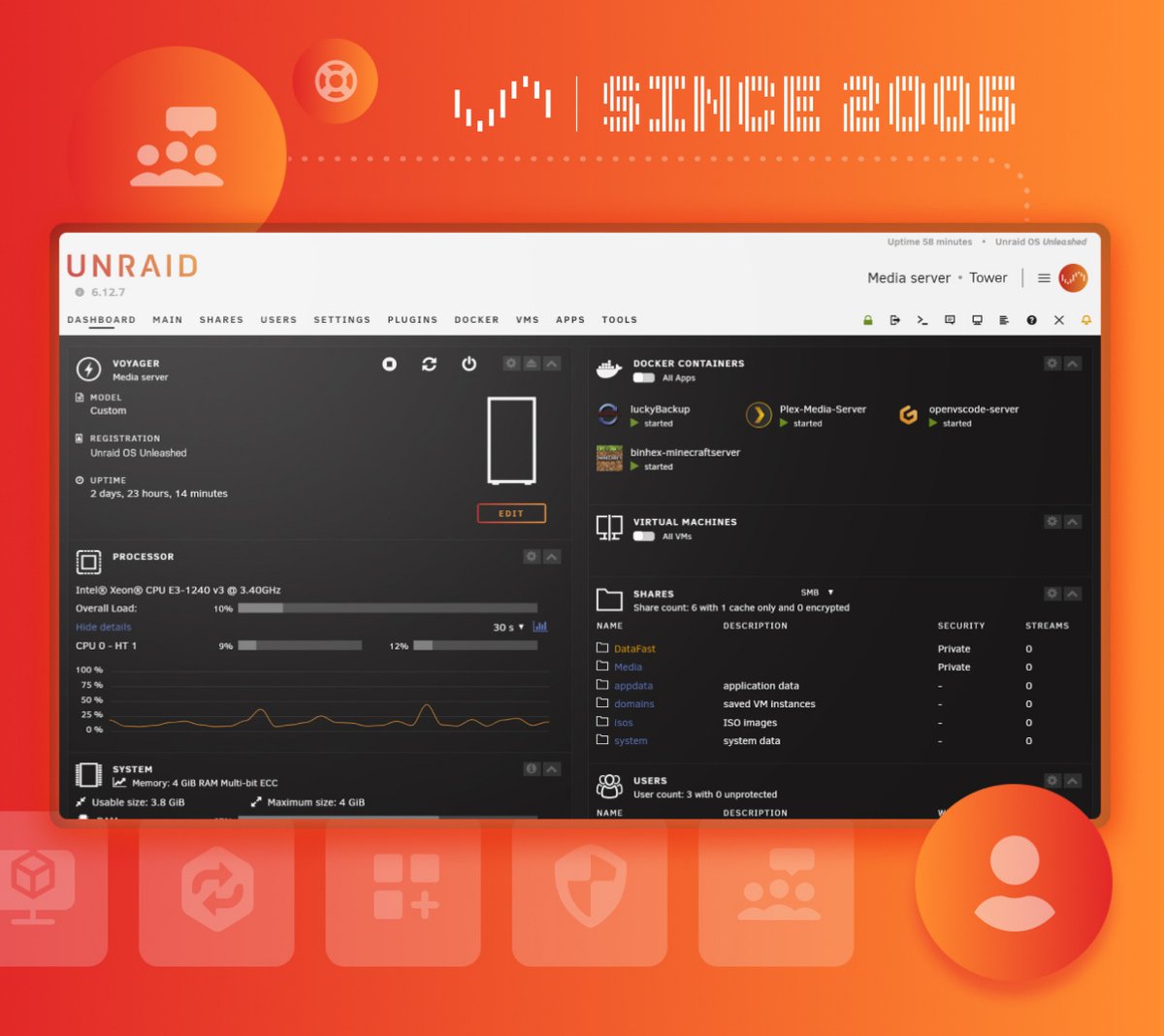
Most home server operating systems feel like they were built by sysadmins, for sysadmins. You spend hours wrestling with ZFS pools and command-line partitioning before you even get to the fun part — actually running the services you care about. Unraid flips that script entirely. It’s built around a simple idea: your drives shouldn’t need to match, your setup shouldn’t require a computer science degree, and your server should adapt to whatever you throw at it.
I’ve been running Unraid on a repurposed desktop for about two years now. Here’s the honest take on what it gets right, where it struggles, and whether it’s worth your money.
Pros & Cons
| Pros | Cons |
|---|---|
| Mix any drive sizes in one array — no matching required | Write speeds capped by parity disk (not great for heavy database workloads) |
| Docker and VM support built right into the web UI | No native ZFS pool management (btrfs pools exist but less mature) |
| One-time purchase, no subscription — you own the license | USB flash drive boots the OS (some see this as a single point of failure) |
| Massive community app library with one-click installs | Not free — starter license starts at $49 |
What Is Unraid?
Unraid is a Linux-based operating system designed specifically for home servers and network-attached storage. It was created by Lime Technology and has been around for 20 years now — longer than a lot of the NAS hardware companies people swear by. The defining feature is the Unraid Array: unlike traditional RAID, you can use drives of completely different sizes, brands, and speeds, and Unraid handles the parity protection across all of them.
That’s the headline feature, but it undersells what Unraid actually is at this point. It’s a Docker host with a polished web interface. It’s a hypervisor that runs Windows or Linux VMs with GPU passthrough. It’s a media server backbone that powers Plex, Jellyfin, and the entire *arr stack with minimal configuration. It’s evolved way beyond “NAS OS” into something closer to a home data center operating system that happens to be approachable.
The Array: Why Mixed Drives Matter
If you’ve ever built a traditional RAID array, you know the pain: every drive needs to be the same capacity, ideally the same model. You’re forced into buying drives in batches, and upgrading means replacing the entire set or doing risky drive-by-drive rebuilds. Unraid solves this by separating data and parity. Your data lives on individual drives (each with its own filesystem), while one or two parity drives provide protection. Since each data disk is independent, you could lose more drives than your parity covers and only lose the data on those specific disks — not the entire array.
In practice, this means you can start with whatever drives you have lying around. A 4TB, a 2TB, and an 8TB drive? Unraid doesn’t care. Just make sure your parity drive is the largest one in the array. When you outgrow a drive, swap in a bigger one, rebuild from parity, and you’re done. No migration, no downtime beyond the rebuild itself. I started with three mismatched drives salvaged from old PCs and have grown the array organically for two years without ever having to plan a “migration weekend.”
The trade-off is write performance. Because every write operation hits both the data disk and the parity disk, you’re limited by whichever is slower. For media storage, backups, and file serving — the things most home servers actually do — this is a complete non-issue. Reads are as fast as the individual disk can deliver. If you need screaming-fast writes for databases or VMs, you can set up a separate cache pool using SSDs that bypasses the array entirely.
Docker Made Actually Usable
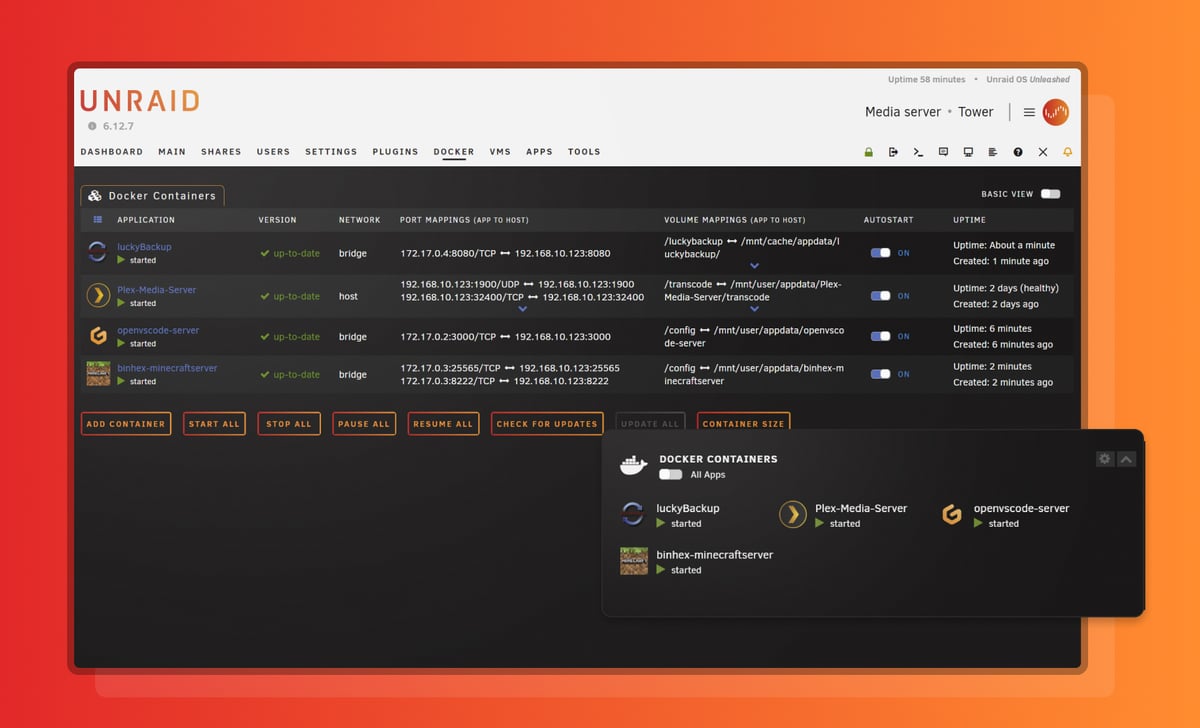
Docker on the command line is powerful but tedious. Docker Compose files are better, but still require you to manage config files and remember to update container versions. Unraid’s Community Applications plugin gives you a searchable app store with thousands of pre-configured containers. Find Plex, click install, pick your media folders through a file browser, and you’re running in under a minute. The same workflow applies to everything — Home Assistant, Nextcloud, Minecraft servers, even niche stuff like Mealie for recipe management or Paperless-ngx for document archival.
What makes this genuinely useful is the template system. Community members maintain templates that pre-fill all the path mappings, port assignments, and environment variables. You rarely need to dig into documentation just to get something running. When you do need to customize, the UI gives you direct access to every Docker parameter without having to SSH in and edit compose files. It’s the best Docker management experience I’ve used outside of enterprise platforms like Portainer — and in some ways, it’s simpler.
Virtual Machines That Actually Work
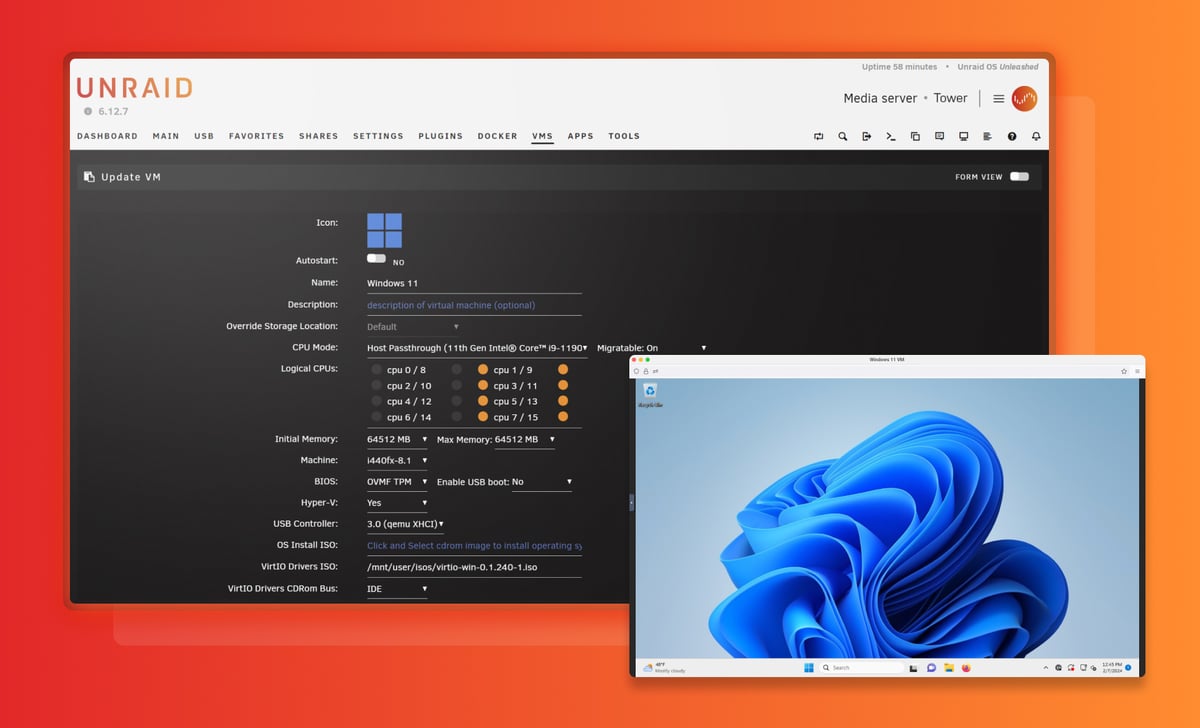
The VM support in Unraid surprised me. It’s KVM-based under the hood, which means near-native performance, but the web UI makes it feel like you’re using VirtualBox. You can pass through GPUs, USB controllers, and entire NVMe drives to a Windows VM and game on it as if it were bare metal. I’ve run a Windows 11 VM with an RTX 3060 passed through for casual gaming and photo editing, and the experience was indistinguishable from a dedicated desktop.
This opens up use cases that go well beyond storage. You can run a dedicated development environment, a sandboxed browsing VM, or even a cloud gaming rig accessible from any device in your house. For homelab enthusiasts, this is where Unraid really shines — it consolidates what would otherwise be three or four separate machines into one box.
What’s the Trade-Off?
Unraid isn’t perfect, and the weak points are worth understanding before you commit. The OS boots from a USB flash drive, which means your license is tied to that specific USB GUID. If the drive dies, you need to transfer the license — Unraid support handles this, but it’s an extra step that feels like an unnecessary failure point in 2026. There’s no official support for booting from an SSD or NVMe drive directly.
The write speed limitation I mentioned earlier is real. If you plan to run a heavy PostgreSQL database or do video editing directly against the array, you’ll want to use a cache pool. But for the home server use cases Unraid targets — media streaming, file backups, Docker services — the parity overhead is rarely noticeable.
The other limitation: Unraid’s pool filesystem options are btrfs and XFS, not ZFS for array disks. ZFS support exists for cache pools now, but the main Unraid Array still runs on the traditional parity system. If you’re coming from TrueNAS and ZFS is non-negotiable for you, this might be a dealbreaker. For everyone else, the flexibility of mixed drives outweighs ZFS features you probably won’t use at home.
Who Should Buy It?
Unraid makes the most sense for anyone who wants a home server that grows with them. You don’t need to plan your entire storage layout upfront or buy matching drives in bulk. You can start with whatever hardware you have, add capacity when you need it, and run everything from Plex to Home Assistant on the same box.
It’s less ideal if you need enterprise-grade performance for production databases, if ZFS is a hard requirement for your workflow, or if you’re building a pure storage appliance with no need for Docker or VMs. In those cases, TrueNAS Scale or a plain Linux server might be a better fit. But for the home server use case — media, backups, self-hosted apps, and tinkering — Unraid is the most flexible and forgiving option out there.

Where to Buy
(affiliate link, I may earn a commission at no extra cost)
The Bottom Line
Unraid has been around for two decades, and the reason is straightforward: it solves a real problem better than anything else in its category. The ability to mix drive sizes alone is worth the price of admission if you’ve ever dealt with the headache of matching drives for traditional RAID. Everything else — the Docker templates, the VM passthrough, the community app ecosystem — feels like a bonus.
At $49 for the Starter license (up to 6 devices), $109 for Unleashed (unlimited), or $249 for Lifetime with all future updates, it’s a one-time purchase in a world of subscriptions. For a piece of software that’ll run your home server for years, that’s genuinely reasonable. If you’ve been putting off building a home server because the tech seemed intimidating, Unraid is the closest thing to a “just works” experience in this space.